A player messaged support
Someone has written in. Here's how to handle it from start to finish.
The screen itself is explained in The support inbox.
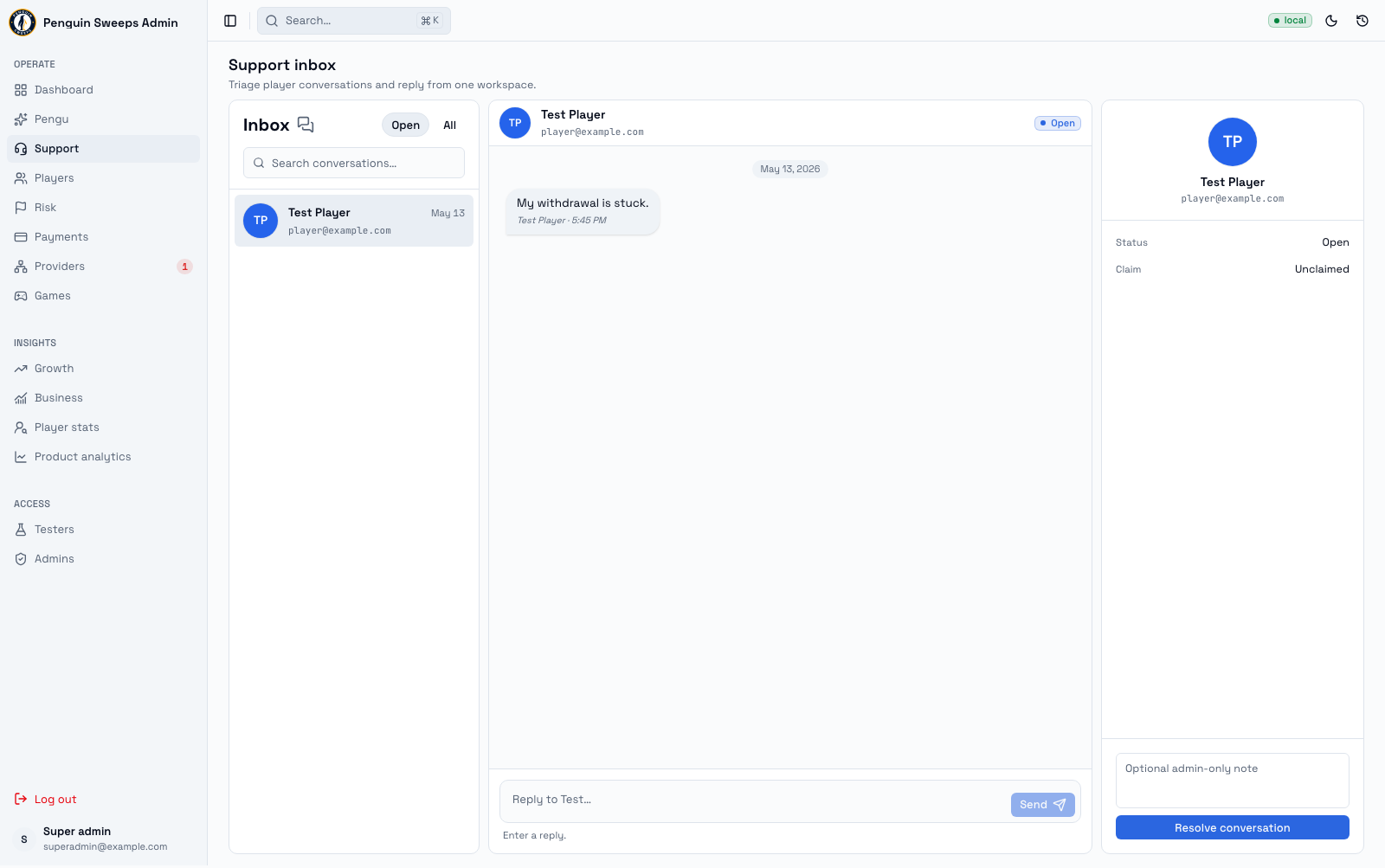
Answering an open conversation
-
Open
/admin/supportand pick a conversation at the top of the Open tab (above the Waiting on player divider) (press J / K to move, Enter to open). The chips under the name show their Playable Cash, free play, last deposit and any open Inbox items; a $ N Inbox items chip on the row means they have some. -
Wait for it to load fully. Both the messages and the player's details. If the conversation is long, scroll up (older messages load as you go) so you can see what's already been said.
This matters more than it sounds. Replying to a half-loaded thread means you might repeat a colleague's answer, contradict it, or ask the player something they already told us. It's the quickest way to make someone feel unheard.
-
Click into the reply box. That claims the conversation as yours; the header shows You're replying. Nothing else to press.
-
If someone else already has it, the header shows Name is replying and a Take over button. Message that person first. Claims last about five minutes, so often they've simply moved on — but a quick check costs nothing and avoids two of you replying at once.
-
Go and find out the answer. If the question is about a payment, a provider, or a reward, open that record in its own screen and read it properly. Don't answer from memory or from what the player says happened. See Looking into a player's account.
-
Write your reply and press Enter (or click Send) once. Write it as if the player will screenshot it, because they might. Say what you know, say what you don't, and say what happens next.
-
Close it with Resolve (or E) — it moves to the Resolved tab, and Undo is there for a few seconds if you pressed it too soon. For an internal note, type it in the player panel first — that note is for your colleagues, not the player.
-
Check that your message actually appears in the thread and the status is now resolved.
Reopening one
If they write back, or you closed it too early:
- Find it under the Resolved tab or search for it with /.
- Check what's actually changed — new information from the player, or a change on our side.
- Click Reopen conversation and carry on as above.
Reopening your own case because you realised something is a good instinct, not an admission of failure.
When things go wrong
The history won't load. Don't reply. Refresh, and if it still won't load, ask for help. The tool will block your send anyway — it's protecting the player from a reply written without context.
Send shows Not sent. Look at the thread before pressing Retry send. Sometimes the message went through and only the confirmation failed, and sending twice looks careless to the player.
It's not your call to make. Payments, providers, rewards, and account access all have their own rules and their own people. Don't promise an outcome you can't deliver. Something like "I've passed this to the payments team and I'll come back to you as soon as I hear" is honest, kind, and commits you to nothing you can't keep.
Hand it over straight away when
- Anything legal is mentioned.
- There's fraud or a chargeback involved.
- Somebody's disputing who owns an account.
- There's a safety concern of any kind.
- You're being asked to reveal personal data — especially about a different player.
Don't try to defuse these yourself, even gently. Acknowledge that you've received it, tell them it's being escalated, and pass it on. That's the correct handling, and it protects both the player and you.
Write these down
Conversation ID, player ID, any related record IDs, the claim/takeover/resolve events, your name, and what you finally told the player.
One reminder worth repeating: resolution notes are internal. The player never sees them. If there's something they need to know, it has to go in an actual message to them.