Reports and numbers
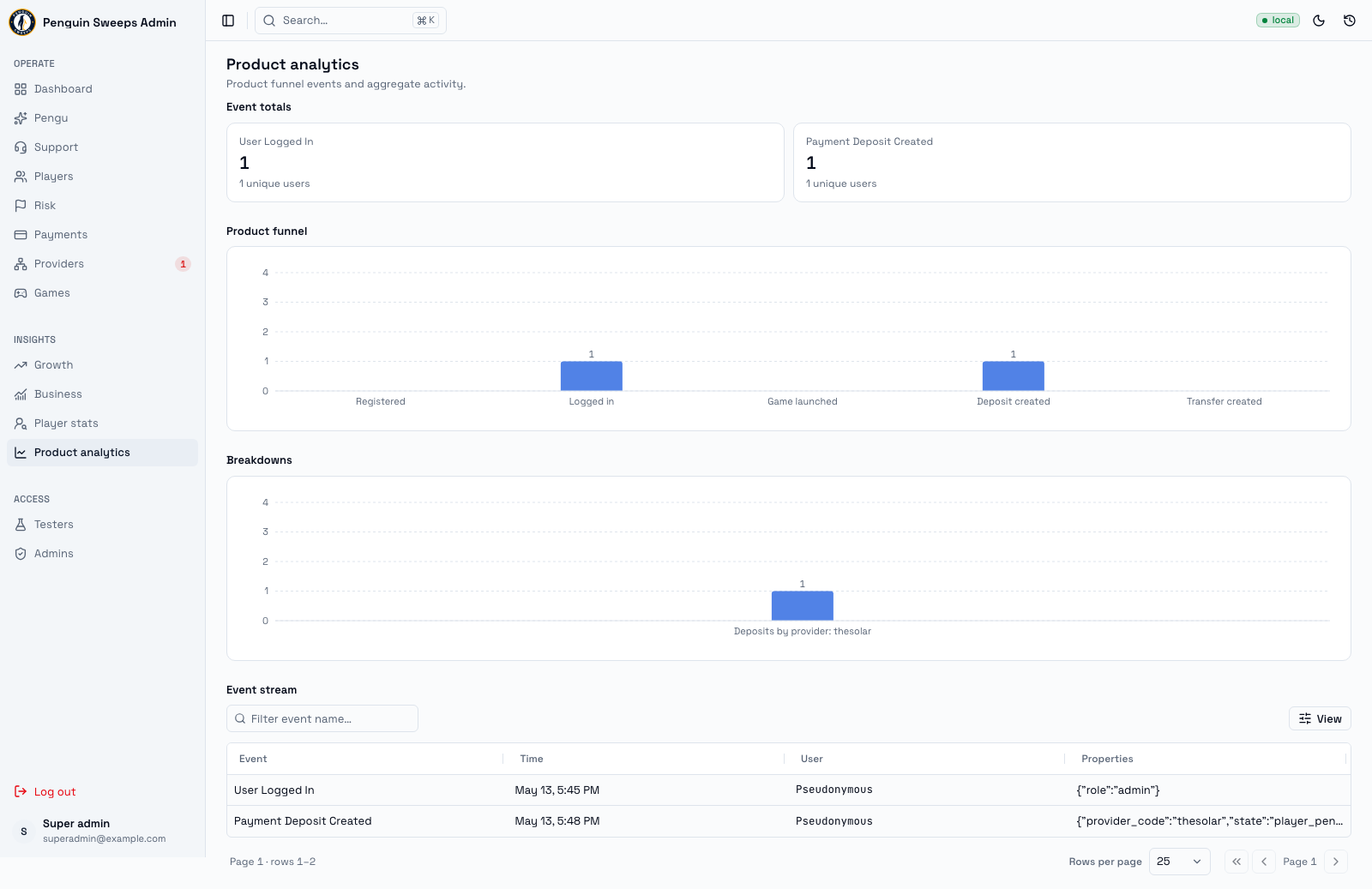
These screens answer questions like "how many players joined last week" and "how much came in yesterday". They don't change anything — you can click around freely and nothing will break.
The one thing to be careful about is passing a number on to someone else. A number without its date range, its timezone, and its footnote can be very wrong in a way nobody notices for months.
Where the reports live
| Report | Address | Who can see it |
|---|---|---|
| Product analytics | /admin/analytics | Everyone |
| Growth | /admin/growth/overview, /acquisition, /funnel, /retention | Super admin |
| Business | /admin/business/overview, /daily, /monthly, /accounting | Super admin |
| Player stats | /admin/player-stats/daily, /monthly, /population-risk | Super admin |
Product analytics
What players are actually doing in the app.
- Event totals — how often each thing happened. The title says which days are counted: Last 30 days by default, or the dates you picked.
- Product funnel — how many people made it through each step.
- Breakdowns — the same numbers cut different ways.
- Event stream — the raw list: Event, Time, User, Properties. Search by event name and page through it.
If a unique-user count is blank, that just means no unique-user figure came back for that event. It doesn't mean zero people did it.
Growth
Where players come from and whether they stick around.
All the growth screens share one date form at the top: From, Through, Timezone, quick buttons for 7d / 30d / 90d, and Apply. Nothing updates until you press Apply.
- Overview — headline acquisition and active-audience numbers.
- Acquisition — by Source, Medium, and Campaign, with touches, visitors, registrations, registration rate, activations, depositors, and depositor rate.
- Funnel — the steps players go through in order, with conversion at each step and where they drop off.
- Retention — do people come back after 1, 7, and 30 days.
Every growth screen shows a report basis line: when the report was generated, and which version of the exclusion rules it used. If you're sharing the number, share that line too.
Rates like "registration rate" are worked out from the visitor and registration counts for the timezone you selected. Change the timezone and the number changes. That's expected, not a bug.
Business
The money view.
- Overview — the reporting basis, settlement figures, how outcomes are looking, and current exposure and reconciliation.
- Daily / monthly — settled cash flow over time, broken down by provider.
- Accounting — the real recorded cash-out figures, which ones are missing figures, and a snapshot of the operational wallet balance.
Two terms here that people get wrong:
Net cash-flow proxy — settled deposits minus cash-out gross amounts. It is an estimate for orientation. It is not what's in the bank, and it must never be treated as an accounting figure. The word "proxy" is doing a lot of work there.
Missing cash-out actuals — settled cash-outs where nobody recorded the real net amount, the real fee, or both. This is a to-do list, and each one is a small gap in the accounts.
Player stats
- Daily / monthly — counts and trends for new players, business-active players, depositors, first-time depositors, game-active players, and players cashing out.
- Population and risk — a breakdown by account status and risk level.
Business-active means the player did something financially real in the period: a settled deposit, a cash-out, or a completed provider transfer. Not just logging in.
Risk counts are a snapshot of right now, taken when the report was generated. They can move independently of the date range you selected, so don't try to line them up with the activity numbers.
Before you quote a number
- Set the date range, timezone, and granularity first, then read.
- Read the reporting basis panel. It tells you whether internal and staff accounts were counted or excluded, and that alone can swing a figure noticeably.
- When you pass the number on, pass on the range, the timezone, and the basis with it. One extra sentence saves a lot of confusion.
Please be careful
The cash-flow proxy is not the bank balance. If someone asks "how much money do we have", this screen doesn't answer that question. Point them at finance.
Check what's excluded before you interpret anything. Same query, different exclusion rules, very different answer.
Population and risk screens are deliberately anonymous. They're counts, with no personal data. If you need to look at an actual person, go to Players, wallets, and rewards — and only with a genuine reason to open their record.