Transfers, reconciliation, and the ledger
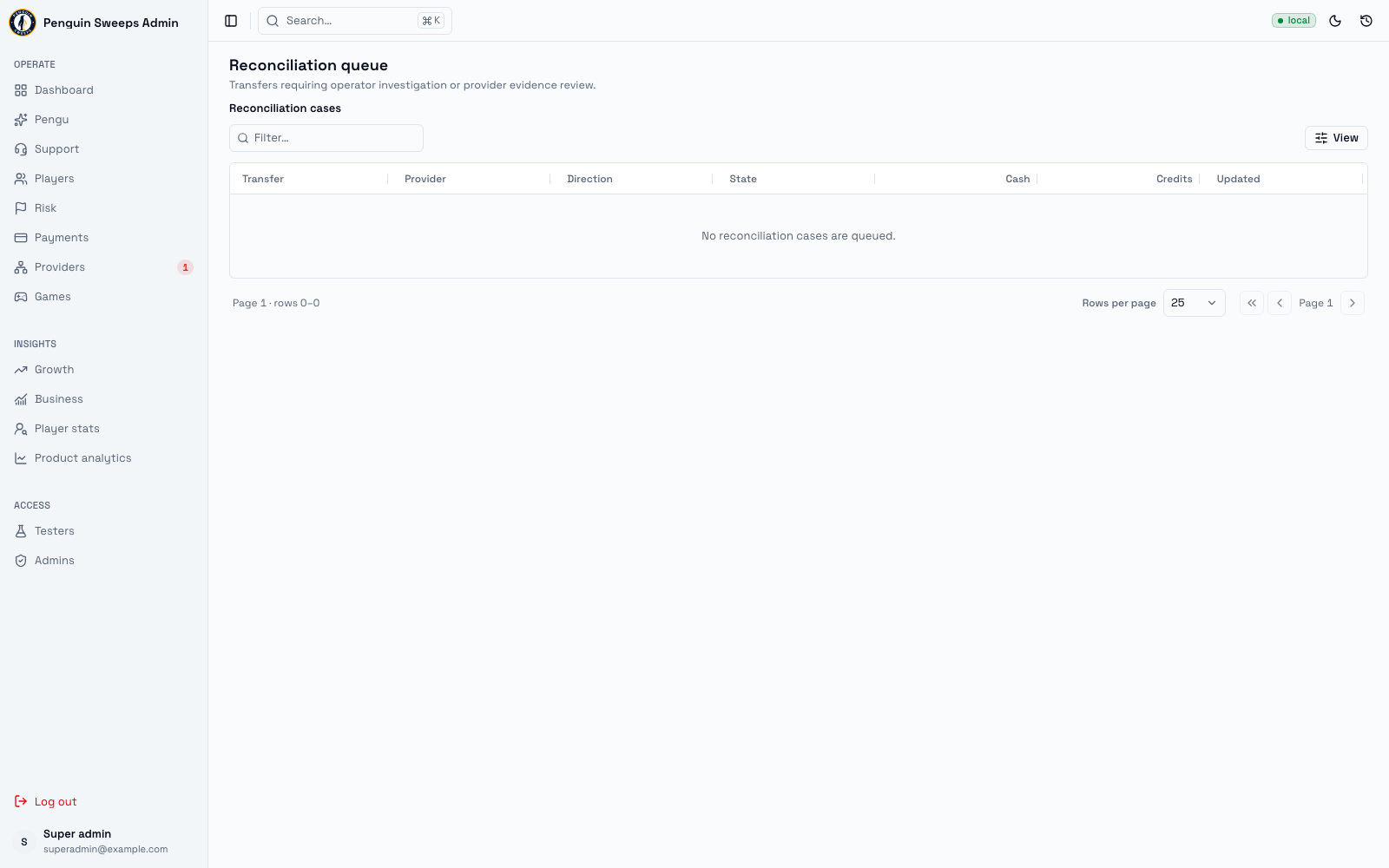
Provider transfers and the ledger show the accounting history. Reconciliation is the operator work queue for uncertain financial outcomes. Its investigation notes do not move money; evidence-backed settlement actions can.
Getting here
- Provider transfers —
/admin/provider-transfers - Reconciliation queue —
/admin/reconciliation - System and ledger —
/admin/system
Admins and super admins can all view these.
Provider transfers
When a player loads money into a game or takes it back out, credits move between us and the game provider. Each of those moves shows up here.
Columns: Transfer, Provider, Direction, State, Cash, Credits, Updated. You can filter by state and page through the list.
Clicking a row opens a panel from the right with the details. There's no full page for a transfer — the panel is all there is, and that's fine.
What each transfer status means
| Status | In plain English |
|---|---|
requested | Asked for, but nothing has moved yet. |
wallet_debited | The player's wallet has been reduced, ready for the move. |
provider_requesting | We're talking to the provider right now. |
completed | Done. |
rejected | The provider or our own rules said no. |
unknown_requires_reconcile | We don't know what happened. Needs a person to gather evidence. |
failed_internal | Something broke on our side. Investigate before doing anything else. |
The reconciliation queue
The queue includes uncertain game transfers, deposits, cash-outs, linked-account first redemptions, and game-to-game credit moves. Open a case to see its evidence, available actions, and the next step. Sidebar attention counts are independent of the page or filter you are viewing.
An empty queue is good news. It means nothing is currently unexplained.
An empty filtered result only means no matching results. Clear the filter before concluding there are no open cases.
Checking a game load, redemption, payment or payout with the provider
For an unconfirmed game load, redemption, deposit or payout, the case is a short checklist instead of a list of actions. The admin never suggests what happened: only the provider knows.
- What happened says what was asked for, when, and where the money is now.
- Copy into the panel (on the right, or at the top on a phone) has the IDs to search for, each with a copy button, and Open the … panel when the provider has an operator panel configured.
- The steps say what to look for in the panel and what to match (the amount or credits, the time). For a payout, look for what the provider was asked to send after its fee: the case shows the payout, the fee and that amount.
- Record what you found. Nothing is chosen for you. Each choice shows what it will do before you pick it. A definite answer (it arrived, it never arrived, it was paid) needs the provider's reference; I can't tell yet doesn't, and records a note that you're waiting on the provider while the case stays open. A choice you can't make (only a super admin can, or the case doesn't accept it right now) stays listed but greyed out, with the reason under it. When the case can't take a definite answer at all, only I can't tell yet is offered. A payout the provider shows as sent is recorded in the cash-out, with its receipt, fee and net: that choice opens the cash-out instead.
- Pick why, then preview and confirm as below.
The player paid another way (Cash App, Chime…) is for super admins only. Its Record it as an off-app deposit opens the record-as-off-app sheet for this payment, which credits the off-app deposit and closes the original checkout so a late provider confirmation can't pay twice.
Investigating a case
- Check the player, original operation, provider order, amount, and accounting evidence. A player's current zero game balance is not proof that a load failed.
- Add a note or escalate the investigation if provider confirmation is missing. The case and any reserved funds remain unresolved.
- A super admin may record a confirmed applied or not-applied outcome when the case supports it. Pick why (Provider confirmed, Provider statement checked, Player confirmed, Duplicate, Test cleanup, Waiting for the provider, Needs more investigation or Other), add a note if it helps (required for Other), and enter the external evidence reference. When the provider has an operator panel configured, Open provider panel at the top of the case opens it so you can find the transfer there.
- Review the preview, then confirm. The system rechecks the original case and accounting records before settlement; a changed case needs a fresh preview.
If an action is unavailable, read its blocking reason. Do not fix missing evidence by granting a reward or editing a balance elsewhere. A resolution records the original operation's outcome; it never sends the provider payment again.
Cash-outs still require their settlement proof and fee/net details. Credit moves require evidence for the relevant source, destination, and compensation operations, not just the two current balances. Notes and escalation remain in the audit history.
Acknowledgement is not settlement. Risk reviews and financial cases have different lifecycles. Reviewing a risk signal does not release reserved money or remove an unresolved financial case.
System and ledger
The permanent accounting record. Every movement of money and resources ends up here, and nothing is ever deleted.
- Accounts: Account, Owner, Type, Balance, Created.
- Transactions: Transaction, Actor, Kind, Currency, Created.
Both page through. Clicking a row opens the side panel. There is nothing on this screen that changes anything.
You'll see a Partial data badge at the top. That's honest labelling: this screen shows some of the accounting picture, not all of it. Don't treat it as a complete set of books.
Two screens that say "unavailable"
/admin/audit-log— Audit log unavailable/admin/ai-drafts— AI drafts unavailable
These features haven't been built yet. The pages explain what's missing and which panels would be there.
We show an honest "not available" instead of an empty table, because an empty table looks like "there's nothing here" when the truth is "we can't tell you". The standalone audit-log page is not available. Financial case and risk review histories are available in their own detail screens; use those to inspect the recorded operator decisions.
Using these screens well
- Narrow down with the state filter, then use the provider, direction, cash, and credits columns to find the exact movement you're chasing.
- Open the side panel and write down the IDs before you go anywhere else. Those IDs are what makes your notes useful to whoever picks it up next.
Please be careful
Every row here is real money. Don't try to fix a discrepancy by making a compensating adjustment somewhere else until you've checked the linked deposit, cash-out, player, and provider evidence. What looks like a missing amount is very often the same amount recorded a different way.
unknown_requires_reconcile and failed_internal mean stop and investigate. They do not mean try again. Retrying an unknown money movement is the single most expensive mistake available in this tool, and it's an easy one to make with good intentions.
Don't invent workflows around the unavailable pages. Use the case's own history for its investigation and settlement records. Do not describe the unavailable standalone audit-log page as a complete cross-system audit view.